
Pack it once. Reuse it forever.
Stop rebuilding the same list. Keep a master list for every job that comes around again and stamp out a fresh copy each time. You check off the copy; the master stays as it was.

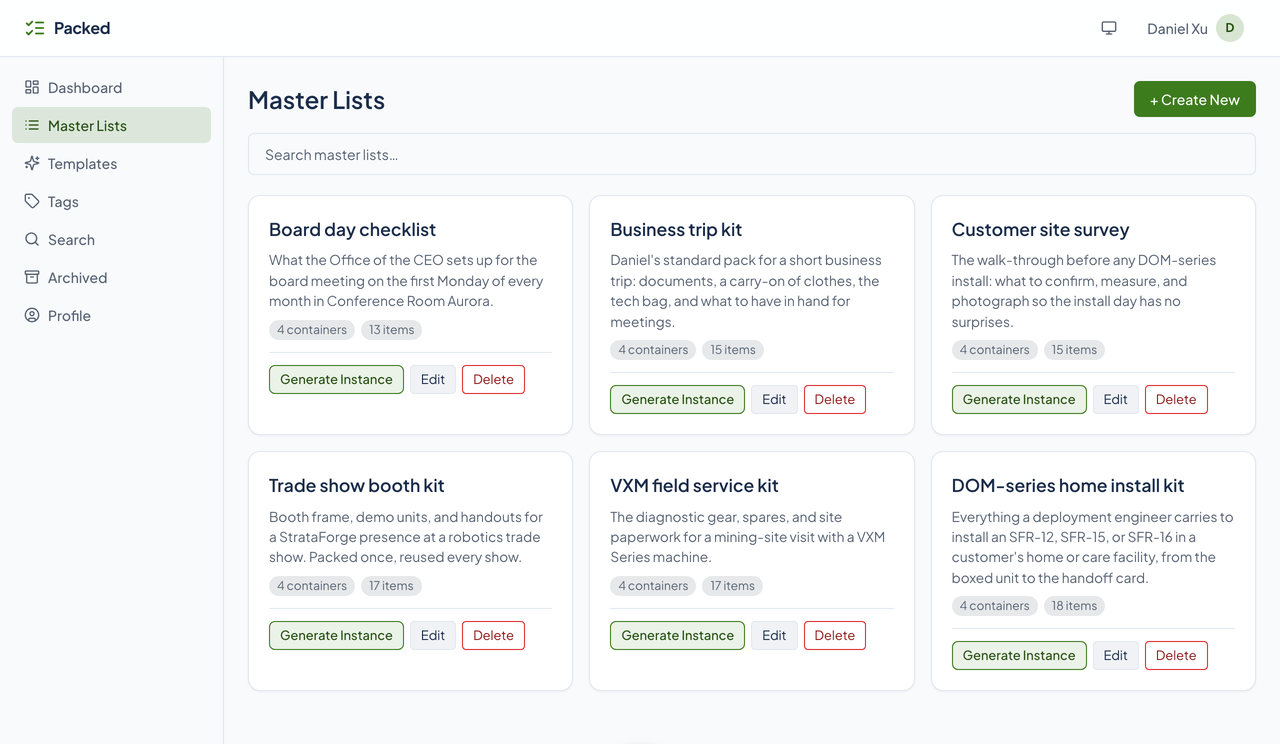
Six kits a StrataForge team keeps
These are the lists in the screenshots, fictional StrataForge Robotics data. Each is a master list with a working copy for every job it has been used on.
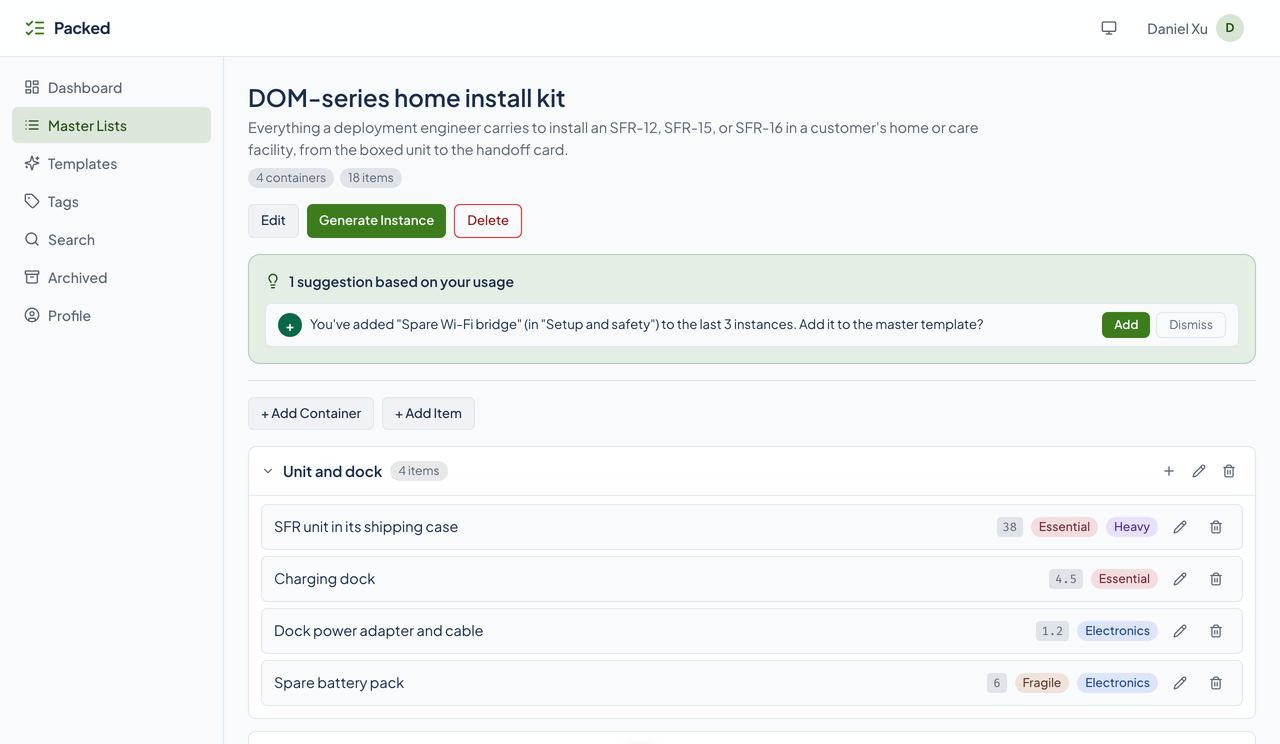
DOM-series home install kit
18 items
The unit, the dock, the tools, the safety gear, and the handoff card for installing an SFR-12, SFR-15, or SFR-16. Three installs have used it, and each added a spare Wi-Fi bridge, so Packed suggests adding it to the kit.
VXM field service kit
17 items
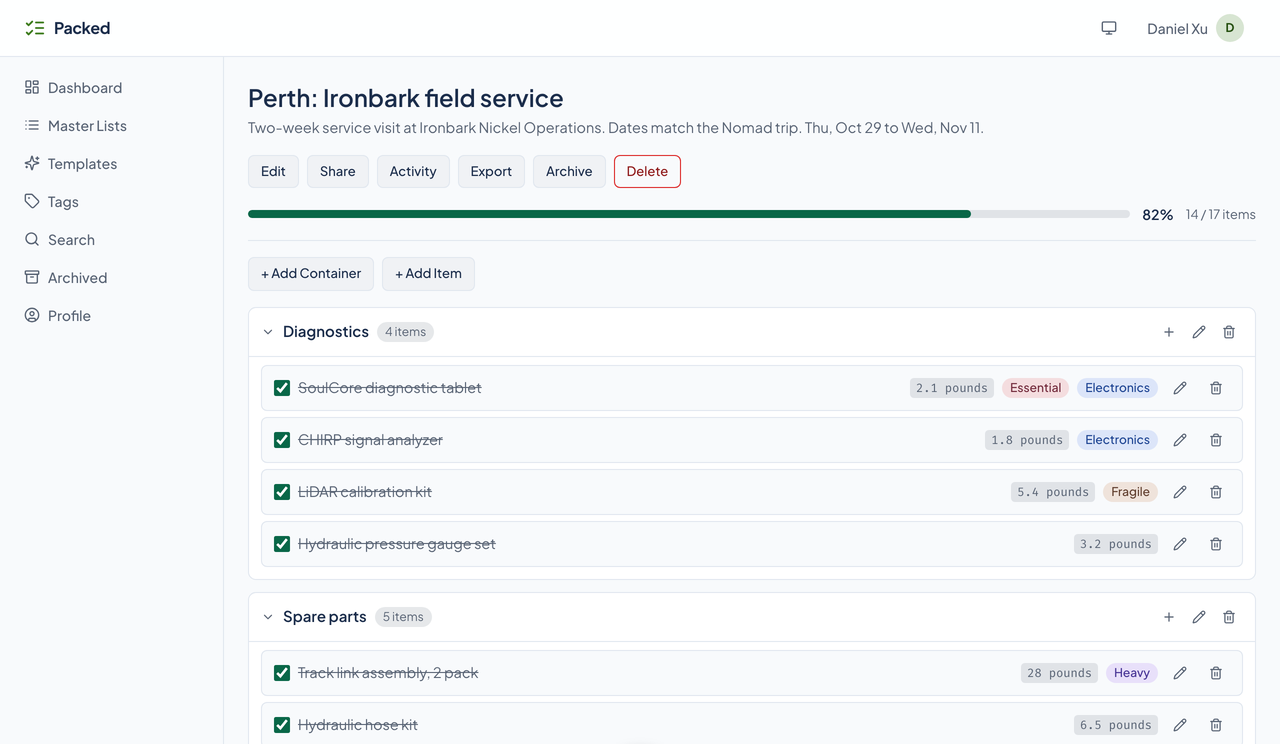
Diagnostics, spare parts, site safety, and paperwork for a mining-site visit. The Perth service visit is a working copy, mostly packed.
Trade show booth kit
17 items
Demo units, the booth frame, handouts, and show-day supplies, packed once and reused at every show.
Customer site survey
15 items
What to confirm, measure, and photograph before an install. Two surveys have used it, and one is finished and archived.
Business trip kit
15 items
Documents, clothes, the tech bag, and toiletries for a short trip. The Boston trip adds the printed agendas.
Board day checklist
13 items
The room, the packets, and the follow-up for the board meeting on the first Monday of the month.
Start from something good
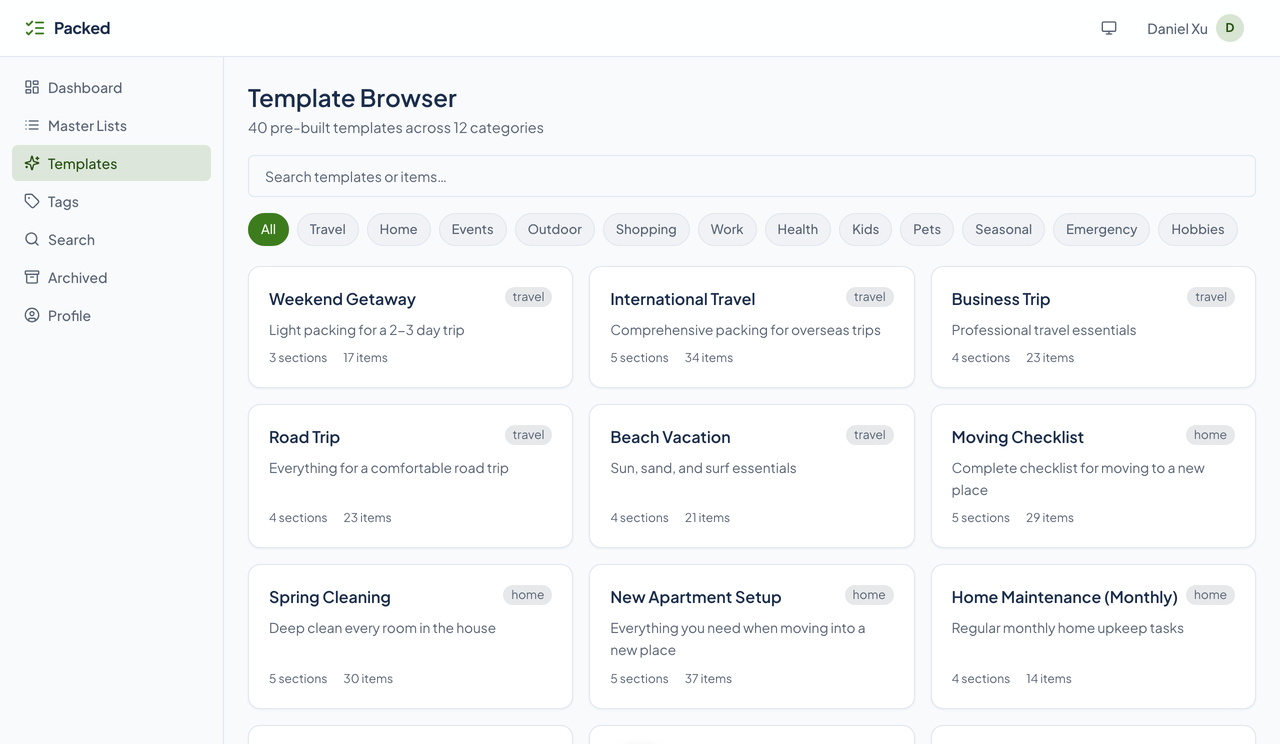
Packed ships 40 built-in templates in 12 categories. Pick one in the app and it becomes a master list you can change however you like.
Showing all 40 templates.
Weekend Getaway
Light packing for a 2-3 day trip
International Travel
Comprehensive packing for overseas trips
Business Trip
Professional travel essentials
Road Trip
Everything for a comfortable road trip
Beach Vacation
Sun, sand, and surf essentials
Moving Checklist
Complete checklist for moving to a new place
Spring Cleaning
Deep clean every room in the house
New Apartment Setup
Everything you need when moving into a new place
Home Maintenance (Monthly)
Regular monthly home upkeep tasks
Party Planning
Everything needed for hosting a party
Wedding Planning
Comprehensive wedding planning checklist
Birthday Party (Kids)
Plan a fun kids' birthday celebration
Dinner Party
Host an elegant dinner at home
Camping Trip
Essential camping gear and supplies
Day Hike
Light and fast for a day on the trail
Fishing Trip
Gear and supplies for a day of fishing
Grocery Shopping
Standard weekly grocery run
Costco/Bulk Shopping
Stock up on bulk items
Baby Registry
Essential items for a new baby
New Job First Week
Everything to prepare for starting a new job
Conference Packing
Pack for a professional conference
Project Launch Checklist
Ensure nothing falls through the cracks at launch
Gym Bag
Daily gym essentials
Hospital Bag (Maternity)
Pack for labor, delivery, and hospital stay
Medicine Cabinet Essentials
Stock your medicine cabinet properly
Diaper Bag
Packed and ready for outings with baby
Back to School
School supply shopping list
Summer Camp
Packing for sleepaway or day camp
New Puppy Essentials
Everything for bringing home a new puppy
Pet Travel Kit
Traveling with your pet
Thanksgiving Dinner
Plan the perfect Thanksgiving feast
Christmas Gift List
Track gifts for everyone on your list
Hurricane Preparedness
Emergency supplies for hurricane season
Winter Car Kit
Emergency supplies for winter driving
72-Hour Emergency Kit
Be prepared for any emergency or natural disaster
Evacuation Go-Bag
Grab-and-go bag for rapid evacuation
Photography Shoot Kit
Gear checklist for a photo shoot
Art Supplies Inventory
Track your art supply collection
Game Night Setup
Everything for hosting game night
Ski/Snowboard Trip
Hit the slopes fully prepared
Pack it once. Reuse it forever.
One master list of eighteen items in four containers, a fresh copy named for the job, eight ticks and one added item, a shared copy and the log of a collaborator’s checks, three copies that each added the same item and the suggestion that follows, and a library of forty templates in twelve categories, all on StrataForge Robotics’ fictional lists.
Read the film’s text version
Title: Packed. Pack it once. Reuse it forever. 2026. An energized electronic score in C major runs under the whole film, with a soft tick or hit on each action.
The hook: “The same list.” Three drawn sheets slide in, each the same eighteen lines rebuilt by hand and a little different: a dashed gap where a line was left out, one extra in amber. “Again.” Eighteen marks fill in, one per item of the kit, all labeled as an illustration.
Master and copy: As the beat drops: “Master.” A drawn master list of eighteen lines. “Copy.” It stamps a copy for each of three households, Munich, Sao Paulo, and Cape Town, and a tick lands on each. “Master unchanged.” The master stays blank. All of it is drawn, and labeled as an illustration.
The master: “One master list.” The real page for the DOM-series home install kit, its title ringed with a note that Daniel Xu, Chief of Staff, keeps it, then its two counts, four containers and eighteen items. The four container headings are ringed in turn with their counts, four, five, five, and four, and eighteen marks fill in grouped by container.
Generate: “Generate.” The real Generate Instance button is ringed, and the copy it makes appears named like its master with none of its eighteen items checked. “Name it for the job.” The real Edit dialog with the typed name, Install: Callahan Household, Dublin, then the renamed copy, still at zero of eighteen, and its card on the dashboard.
Check off: “Tick as you go.” The copy’s progress is ringed at zero, four, and eight of eighteen as eight real ticks land, the checked boxes ringed one container at a time and the marks turning green. “Add what the job needs.” The real plus on the Setup and safety container, the Add Item dialog with the typed name Spare dock power supply, and the new row ringed. The progress now reads eight of nineteen.
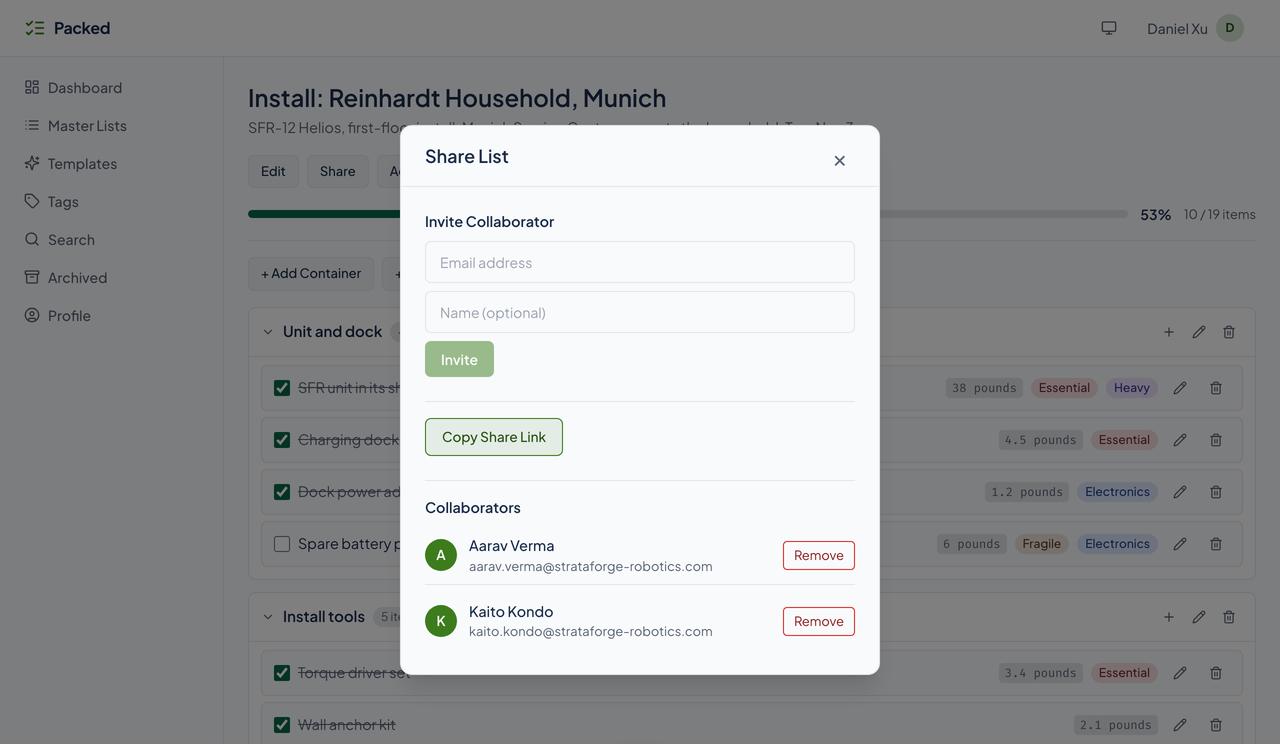
Share: “Share it.” A label says this is another copy, the Reinhardt household’s in Munich. The real Collaborators panel, with Aarav Verma and Kaito Kondo ringed in turn. Then a drawn card, labeled as an illustration and as drawn from Packed’s code: an invite is a seven-day access token, collaborators check items through the API, and Packed sends no mail. Then the real Activity Log, three checks by Aarav Verma (Level and tape measure, Wall anchor kit, and Torque driver set), with a note that the owner’s own checks are not logged.
It learns: As the beat drops again: “It learns.” Drawn: the three copies each gain a Spare Wi-Fi bridge chip, an arrow runs from each to the master, the counter reads one of three, two of three, three of three, and a dashed suggestion forms on the master. Then the real suggestion banner with its sentence ringed, the Add button, and the real master with the bridge row ringed. “It counts. It doesn’t guess.”
Templates: “40 templates.” The real template browser, its count line ringed and counting up to forty. “12 categories.” The twelve category chips are ringed, one mark each, and the Travel filter is clicked.
Close: “Pack it once.” “Reuse it forever.” Then the end card on the final chord: the mark, the name, the tagline, the site’s address, and the contact address for questions.
Everything a list needs, and nothing it does not
A master list is the blueprint. A working copy is what you check off. Here is what Packed does today.
Build the list once
Master lists
A reusable blueprint with items grouped into containers. You never check off a master list; you generate a copy.
Generate a working copy
One button stamps out a copy with every item unchecked, named like its master until you rename it. The master is not changed.
Packed's DOM-series home install kit, a master list with 4 containers and 18 items. The pointer presses Generate Instance, a message reads "Generated instance: DOM-series home install kit," and the new copy opens at 0%, 0 of 18 items. The pointer then ticks SFR unit in its shipping case, Charging dock, and Dock power adapter and cable in turn: each title is struck through, and the bar fills to 6%, 11%, and 17%, ending at 3 of 18 items.
Check things off
Tick items as you go. A progress bar and an items-done count show where the copy stands.
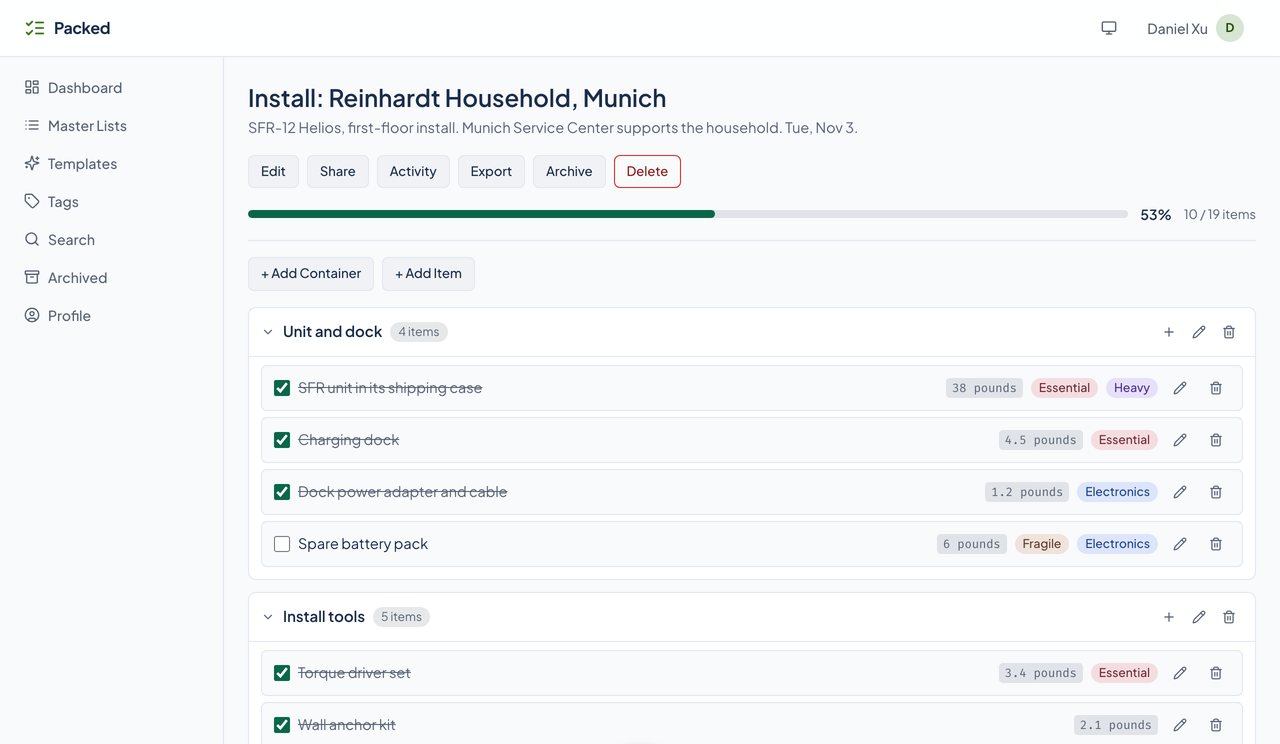
A dashboard of what is in flight
Every active copy is a card with its progress. A menu on each card edits, archives, or deletes it.
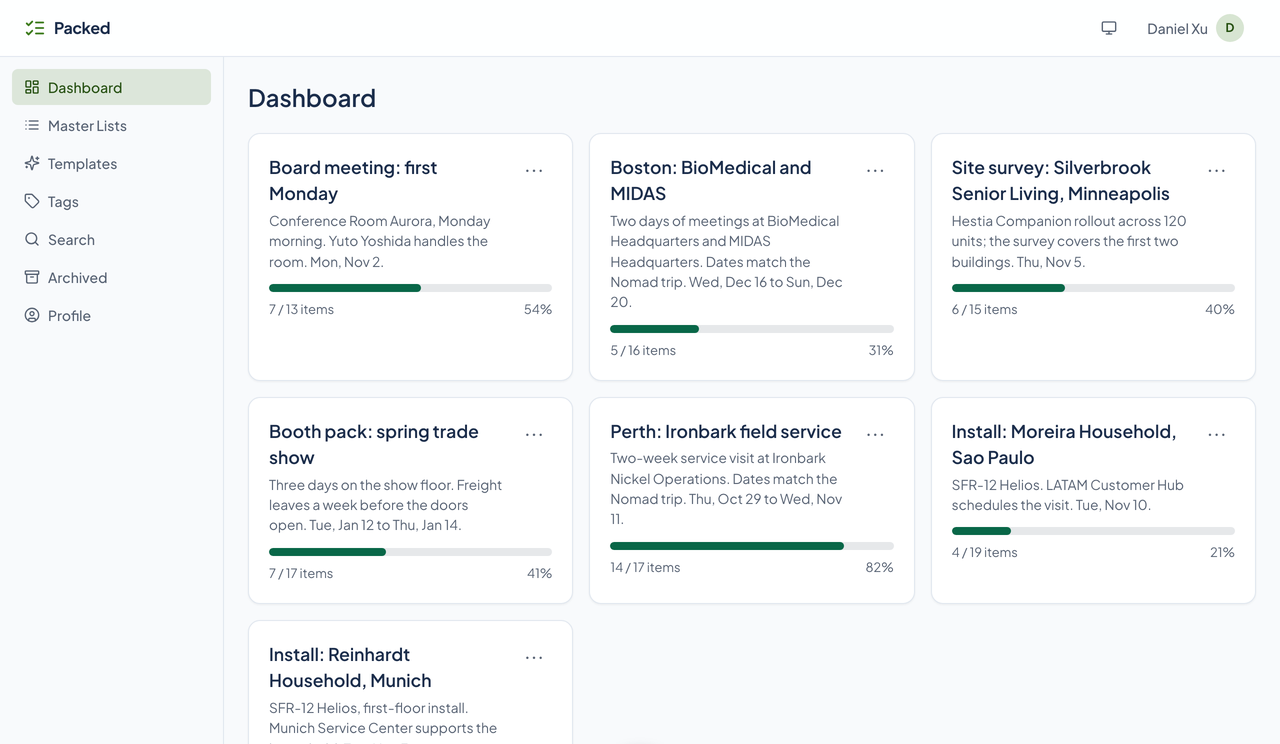
Archive and bring back
Archive a finished copy to clear the dashboard without losing it. The Archived page lists them and can unarchive any.
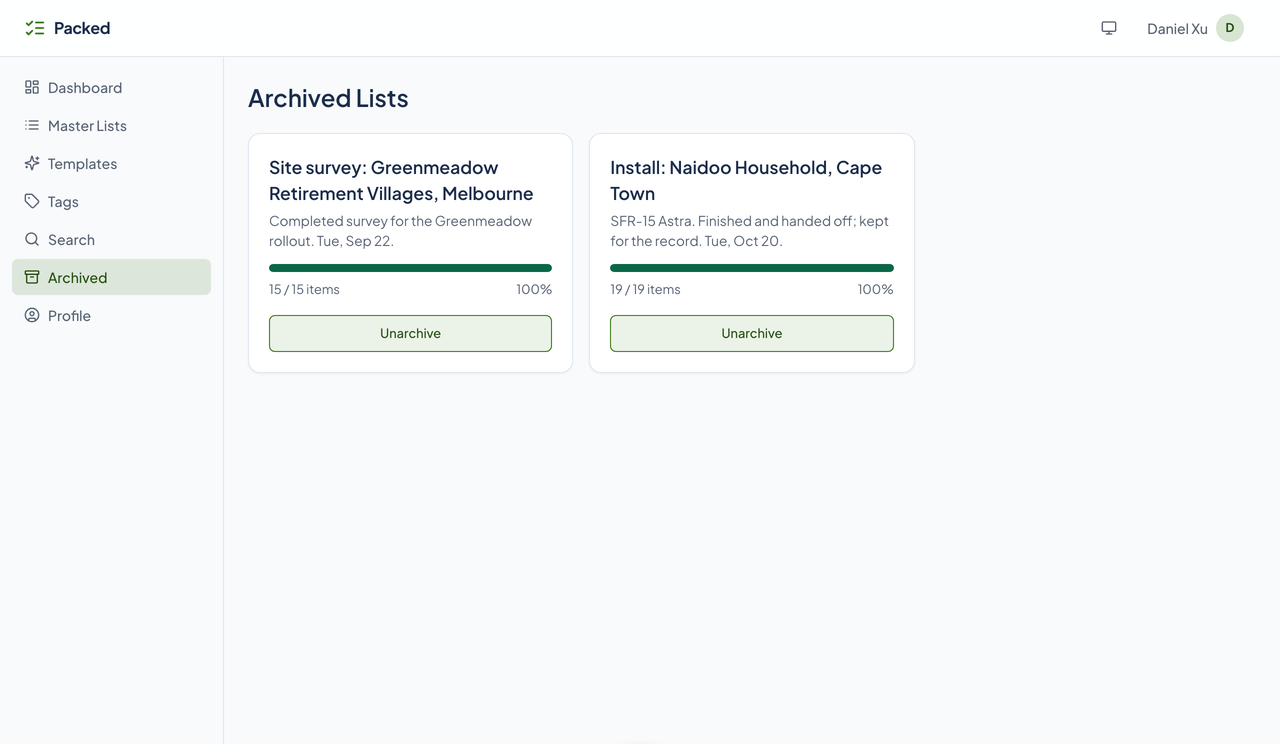
A place for everything
Containers
Group items into collapsible containers, such as Unit and dock or Install tools. Through the API and agent tools they nest up to three levels.
Item detail
Each item has a name, a description, a category, tags, and a weight in pounds or kilograms, set on the Profile page.
- Export
- Download a working copy as JSON from its page. A master list's full structure exports through the API and agent tools.
Color-coded tags
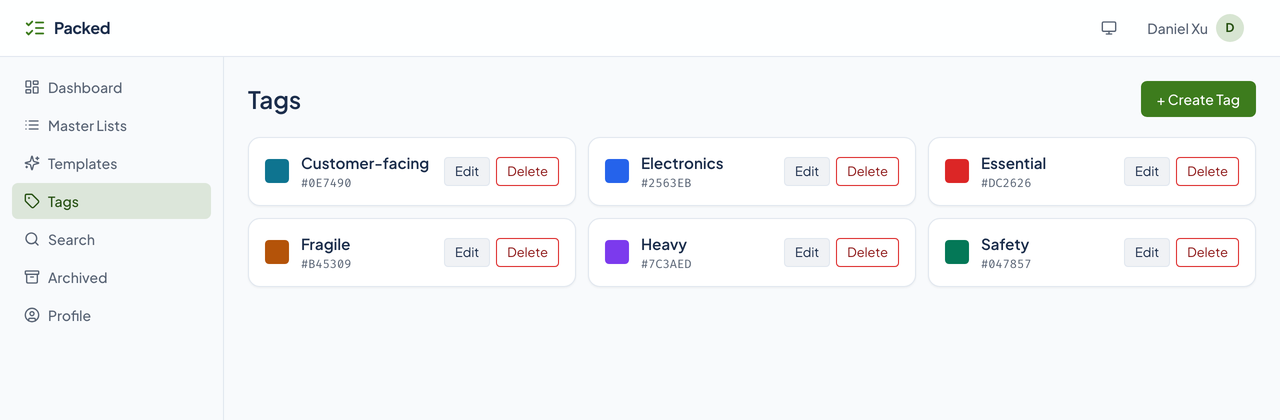
Create, rename, recolor, and delete tags, and attach several to an item from its form. Tags belong to the person who made them.
Search
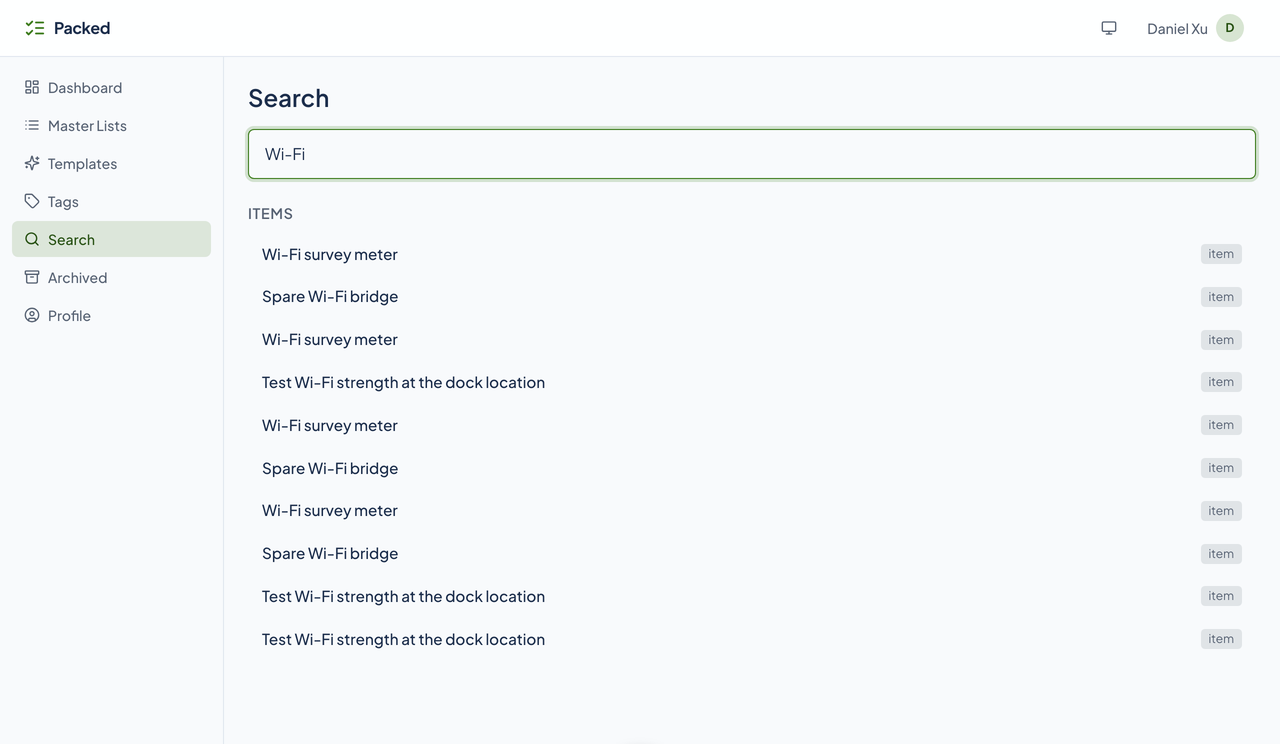
Find master lists, working lists, and items by name. Results come back under a heading for each.
Lists that get better
Suggestions
When three copies of a master add, or remove, the same item, Packed offers to change the master. Accept or dismiss it from a banner. It counts what you did; it does not guess.
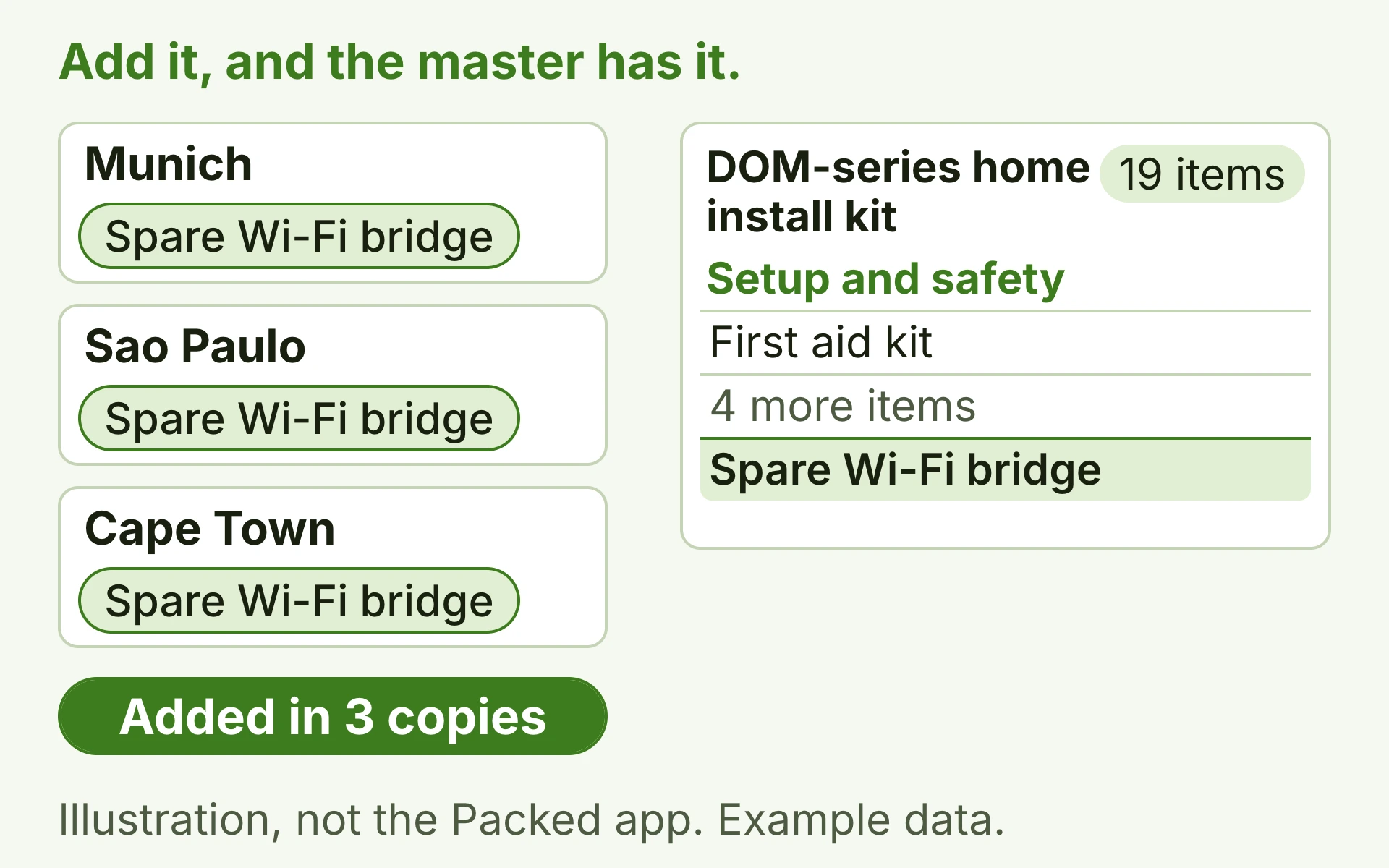
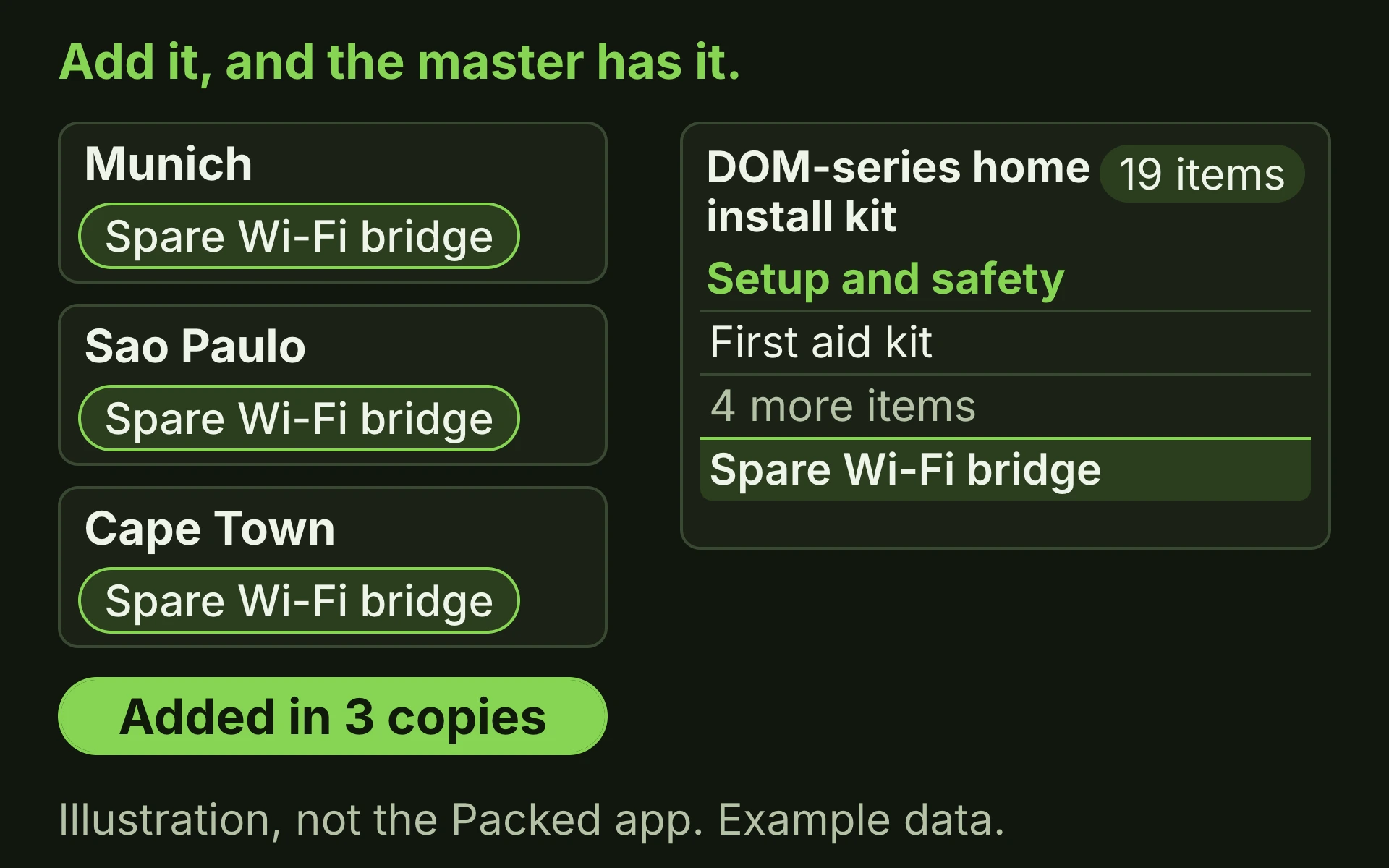
Illustration, not the Packed app, with example data. A master list has three copies. Each copy adds the same item, a Spare Wi-Fi bridge, and a counter climbs from one copy to three. At three, Packed offers to add the bridge to the master, with Add and Dismiss. Pressing Add puts the bridge in the master's Setup and safety container, and the master goes from 18 items to 19.
A template library
40 built-in templates in 12 categories. Browse, filter, and search them, then create a master list from one with a click.
Invite collaborators
Invite someone by email to a working copy. Packed saves the invitation and an access link that is good for seven days; a collaborator who has the link can read the list and check items through the API.
An activity log
Every check a collaborator makes through a shared link is logged with their name and the time, and the owner reads it on the list's Activity dialog.
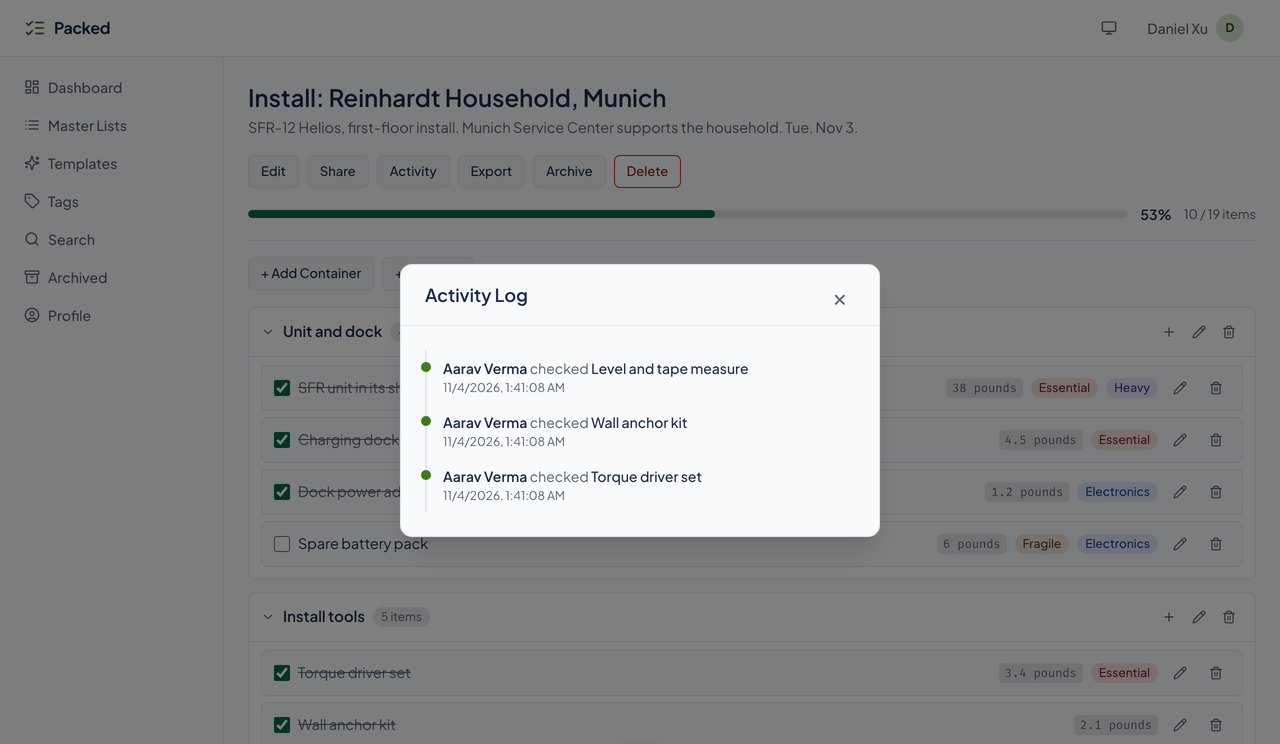
Packed's working copy Install: Reinhardt Household, Munich. The pointer presses Share, and a Share List dialog opens with a Collaborators list: Aarav Verma and Kaito Kondo, each with an email address and a Remove button. The dialog closes, the pointer presses Activity, and an Activity Log dialog opens with three lines, each reading "Aarav Verma checked" an item over a date and time: Level and tape measure, Wall anchor kit, and Torque driver set. The dialog closes.
- Send to Slate
- Send a master list to Slate, the daily task tracker, through Packed's API or its agent tools, using a Slate key stored in your profile.
- Agent tools
- 44 MCP tools cover lists, copies, items, containers, tags, search, templates, suggestions, sharing, and Slate.
See it in light and dark
Real captures of the running tool, with fictional StrataForge Robotics data. They follow your theme.
Build, stamp, check off, learn
Build the master list
Add the items and group them into containers, with weights, categories, and tags. Or start from one of the 40 library templates.
Generate a working copy
The copy starts named like its master with every item unchecked; rename it in Edit for the job, such as an install or a trip. The master stays as it was.
Check things off
Tick items, add what this job needs, and invite people to the copy. Their checks land in the activity log.
Archive, and let it learn
Archive the copy when the job is done. If three copies added the same item, Packed suggests adding it to the master.
Built so everyone can use Packed.
Packed's web app is built on the Renkara design system and was scanned with axe-core on a seeded copy of the running app: nine screens, in light and dark, at phone and desktop widths. The first scan found 24 serious color-contrast failures and a missing page heading on two screens; we fixed them and the rescan came back clean. Packed has not been tested with a screen reader, and we do not claim a WCAG conformance level for it.
Partly supported
Keyboard operation
Every control is a native link, button, or form field, a skip link jumps to the main content, list groups open and close with buttons that report their state, and dialogs name themselves and close on Escape. Dialogs do not trap focus, and no one has walked every flow with the keyboard alone.
Partly supported
Screen reader landmarks and labels
axe-core, which checks names, roles, labels, and landmarks, finds no serious or critical problems on nine screens in both themes at both widths. Status messages go to a labeled live region. Nothing has been tried with VoiceOver, NVDA, or JAWS.
Partly supported
Contrast in light and dark
The same scan checks text and control contrast in light and dark, and it now passes on every screen it covers. Tag colors are chosen by the person using the app and the tag picker inside the item dialog was not scanned, so contrast there is not checked.
Not yet tested
Reduced motion
The design system's base styles are meant to honor the reduced-motion setting. Packed's own tests do not check it.
Not yet tested
Text resize and zoom
Resizing text to 200 percent has not been tested.
Partly supported
Mobile and touch
The nine scanned screens fit a 375-pixel-wide phone with no sideways scrolling, in both themes. Many controls are smaller than 44 by 44 pixels there, and on a list page every control is.
Under the hood
| Backend |
|
|---|---|
| Web app |
|
| Agents and integration |
|
| Quality |
|
| Stands in for | Packing Pro, Wunderlist and Microsoft To Do, Notion, for template lists, Trello, for checklists |
| Works with | Slate: Send a master list to Slate from Packed's API or an agent tool, and the items become tasks to work through day by day. |
Built for agents as well as people
Agents build and run lists through Packed's MCP tools: everything the web app does, plus sharing, suggestions, nesting containers, and sending to Slate.
Master lists
list_master_listsget_master_listcreate_master_listupdate_master_listdelete_master_listexport_full_master_list
Working lists
generate_instancelist_instancesget_instanceupdate_instancedelete_instanceexport_instance
Items and containers
create_itemupdate_itemdelete_itemcheck_itembulk_update_itemscreate_containerupdate_containerdelete_container
Tags and search
list_tagscreate_tagupdate_tagdelete_tagsearch
Templates and suggestions
list_templatescreate_from_templatelist_library_categorieslist_library_templatescreate_from_library_templateget_suggestionsaccept_suggestiondismiss_suggestion
Sharing and Slate
invite_collaboratorlist_collaboratorsremove_collaboratorget_collaborator_activityget_shared_listupdate_shared_itemsend_to_slate
Account and health
get_user_profileupdate_user_profilecheck_service_healthget_diagnostics
Questions people ask
Is Packed available yet?
Not yet. Packed has not launched, so there is nothing to sign up for. This page describes what Packed does today. Write to contact@renkara.com with questions.
What is the difference between a master list and a working copy?
A master list is the blueprint you keep and refine. A working copy is generated from it for one job: it starts with every item unchecked, takes its own name when you rename it, and is the only thing you check off. Archiving a copy never touches the master.
Does Packed email people I invite?
No. Inviting someone saves the invitation and an access link that expires after seven days. Packed does not send the message yet.
Is the data in the screenshots real?
No. Every screenshot is a capture of the running app against fictional StrataForge Robotics data.
Where do the template library's lists come from?
They are built into Packed. The gallery on this page is generated from the same library the app serves, 40 templates in 12 categories.
Questions about this tool?
Write to Renkara Media Group and a person will answer.